4XDigital Creative Guide

From One Product Photo to a Finished Ad

A practical AI creative workflow for small teams that need to turn a simple product image into campaign ready creative without turning every new idea into a full production project.

AI powered product creative example
One product image can now become the starting point for several creative directions, formats and placements.

Getting a product ready to sell is one challenge. Getting people to notice it is another.

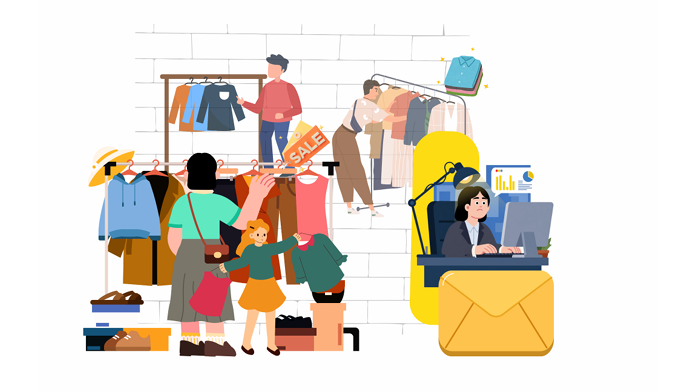
For a small business, this is often where marketing becomes more complicated than expected. The product is ready, the website is live and there is a campaign that needs to go out, but the creative still has to be made. Perhaps there is only one decent product photo available, there is no new photoshoot planned and the same image needs to work across Meta, Google and every other place the campaign might appear.

A few years ago, that could turn into a fairly long process. Someone would need to clean up the image, brief a designer, decide on a visual direction, build the layouts, write the copy and then resize everything for different placements. If something needed to change halfway through, part of that process started again.

AI has made that workflow much more flexible. A single product image can now become the starting point for several creative directions without requiring a new shoot every time the business wants to test an idea. The important thing is not to treat AI like a button that magically produces a finished ad. The quality of what comes out still depends heavily on the thinking that happens before and after generation.

The workflow

Seven practical steps from raw product photo to campaign creative.

2

Decide what you actually want the ad to feel like

This is the part I would not hand over to AI. Before writing a prompt, decide what kind of world the product belongs in for this particular campaign. A skincare product photographed against a clean studio background tells a very different story from the same product sitting beside a bathroom sink in soft morning light.

Think about the customer who will see the ad and what you want them to notice first. Perhaps the product needs to feel premium and considered. Maybe it should feel practical and familiar. The clearer the direction is before opening an AI tool, the less time you will spend generating images that look impressive but have very little to do with the brand.

3

Turn that direction into a prompt the image model can use

Once you know what you want, the prompt becomes much easier to write. Rather than asking an image generator to make a “premium ad,” describe what premium means in this particular image. Mention where the product should sit, what kind of lighting you want, how close the camera should feel, what materials belong in the scene and how much empty space you need for copy.

ChatGPT can help develop that description into a more detailed image prompt. Prompting is less like placing an order and more like giving creative feedback. The first image shows you what the model understood, and the next instruction helps move it closer to what you actually had in mind.

5

Add the copy after you know what the visual is doing

It is tempting to write the headline first, but sometimes the finished visual tells you how much copy is actually needed. One image may already be doing most of the work and only need a short headline, while another may need more explanation.

AI can help generate options, particularly when you want to explore several angles quickly, but the final wording still needs editing. An AI generated headline may be grammatically correct and still sound nothing like the brand. Clarity usually matters more than a clever line that has to be decoded.

For important advertising copy, adding the final text in a design tool is often the safer option because spelling, spacing, hierarchy and alignment can be controlled precisely.

6

Bring the brand back into the creative

One of the easiest ways to spot poorly executed AI creative is that every image looks like it came from a different company. The first is minimalist, the next is highly saturated and the third suddenly has completely different typography.

The logo is only one part of the answer. Look at the colors, typography, composition, photographic style and tone of the copy. If someone removed the logo, would the creative still feel as though it belonged to the same brand?

The AI can help create the world around the product. The final design still needs to belong to the business.

Multiple ad aspect ratio examples
7

Adapt the idea for the places it actually needs to appear

A finished ad is rarely one image anymore. The same campaign may need a square placement, a vertical feed creative, a full screen Story or Reel format and a horizontal version for another channel.

Simply cropping one design into every size can create awkward results. The product may need to move, the headline might need to become shorter and a background element that works beautifully in a wide image may need to disappear in a vertical placement.

AI can save a significant amount of production time here because the original scene can be extended or reworked for different dimensions. The important thing is that every version still feels like part of the same campaign.

What changes after the first ad

The biggest advantage is not simply making creative faster.

It is being able to respond to what the campaign teaches you. If one product setting is not connecting, you can explore another. If customers respond to a particular benefit, the next creative can lean further into it. If a strong ad begins to tire, a fresh variation no longer has to become another full production project.

A product image becomes an ad. The ad produces a response. What you learn can shape what you create next.

A few questions that usually come up

Before you start

Do I need professional product photography?

Not necessarily. A clear, well lit product image can be enough to begin exploring creative directions. The cleaner and more accurate the original image is, however, the easier it becomes to preserve the product properly throughout the process.

Do I need design experience?

You do not need to be a professional designer to experiment with the workflow, but visual judgment still matters. AI can execute an instruction quickly. Someone still needs to decide whether the result feels right for the brand.

Can AI replace a photoshoot completely?

For some campaign assets, AI generated environments can reduce the need to shoot every variation physically. Original photography remains valuable when product accuracy, people, texture or a distinctive brand style needs to be captured precisely.

Should AI generate the text inside the image?

It can, but important copy should always be checked carefully. For greater control over typography, spelling and spacing, adding the final text in a design tool is often more reliable.

Can one creative work across every platform?

The idea can. The exact layout usually should not. Adapting the composition for square, vertical and horizontal placements gives the creative a better chance of looking intentional wherever it appears.

One product photo can take you much further than it used to.

A good product image, a clear creative direction and the right AI tools can take a small team surprisingly far. The technology is there to accelerate the process, not replace the thinking behind it.

The image still needs to feel like the brand, the product still needs to be represented accurately and the campaign still needs someone paying attention to what customers respond to.

4XDigital Ad Creative Studio

Already have the product image? That is enough to start.

Explore Ad Creative Studio